Prompt
"I am building a web prototype for teenager and young adults to solve the issue of rumors and misinformation of social media influencers on the internet. I need a JavaScript function that plays off of the code you made that asked for why the user is on the website. Please provide the HTML setup and the JavaScript code. You must include detailed, step-by-step comments in the JavaScript explaining what each line of code does so I can learn from it and debug it if necessary."
Generated Code
// ============================================================
// STEP 1: Define the base filename of the page we want to send
// users to after they pick a reason. Keeping this in one place
// (instead of repeating "intent-verification.html" everywhere)
// makes it easy to rename the file later without hunting through
// the whole script.
// ============================================================
const VERIFICATION_PAGE = "intent-verification.html";
// ============================================================
// STEP 2: Define the function that runs when a button is clicked.
// It takes one argument, "reason" — the string passed in from the
// button's onclick attribute (e.g. "heard-rumor", "fact-check").
// ============================================================
function handleReason(reason) {
// STEP 2a: Build the destination URL.
// We attach the "reason" as a query parameter (?reason=...) so the
// verification page can read it and adjust what it shows —
// e.g. different instructions for someone fact-checking a rumor
// vs. someone who just wants to learn.
//
// encodeURIComponent() makes sure the reason string is safe to put
// inside a URL — it converts characters like spaces or symbols
// into a URL-safe format. Our reason strings don't have spaces,
// but it's good practice in case that changes later.
const destinationUrl = `${VERIFICATION_PAGE}?reason=${encodeURIComponent(reason)}`;
// STEP 2b: Log the redirect to the console.
// This is purely for development/debugging — it lets you confirm
// in the browser console which reason was clicked and where
// the user is about to be sent, before the page actually navigates away.
console.log(`Redirecting to verification page with reason: "${reason}"`);
// STEP 2c: Perform the actual redirect.
// Setting window.location.href tells the browser to navigate
// to a new URL, just like clicking a link.
window.location.href = destinationUrl;}
Note
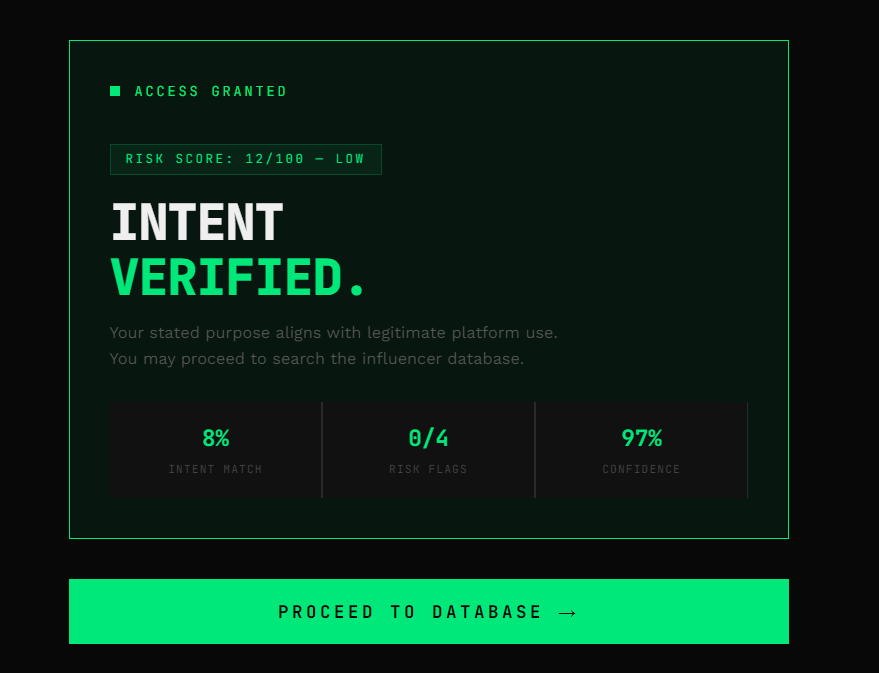
When it gave me the HTML code, it practically deleted the entire page that you're seeing right now and only had up the decisions and whatnot. It also automatically chose to include CSS and didn't seperate it because I forgot to instruct it to do so. I had to detect which part of the code made up the styling, as well as the part of the code that only applyed to the options of the prototype, and then paste it into the CSS editor. I then instructed the AI to "Make the Javascript code for each response sending you to an intent verification page" so I updated it even further. Finally,we got to where we are in the process now, which is the prototype that you see above this section
Completing the Prototype Phase
My prototype (which you can find
here) basically asks for your reason for being on it and, depending on your reason, it will either let you proceed to searching or deny access.After that you get to search and then the final screen shows you the incluencer that you searched for and has info about them and their posts. All this is makes a total of 4 screens. My main challenge with this protype was actually understanding what it meant to have 4 htmls and 5 Javascripts in one page. I completely forgot that you can seperate multiple htmls using divs to speratge each HTML code so I was sat here for 2 painstaking hours figure out "What am I supposed to do, put the htmls on another page? Do I upload the files using media? Do I just make another page and put the code there? What do I do?" until I concluded that I just gotta use div sections. After all this, I now have a bigger understanding of how webpages are set up and I can read HTML code now. Also, turns out, a website closing its own tab that it opened is blocked due to security reasons so I'll have to figure out how to make the Close Tab function work.