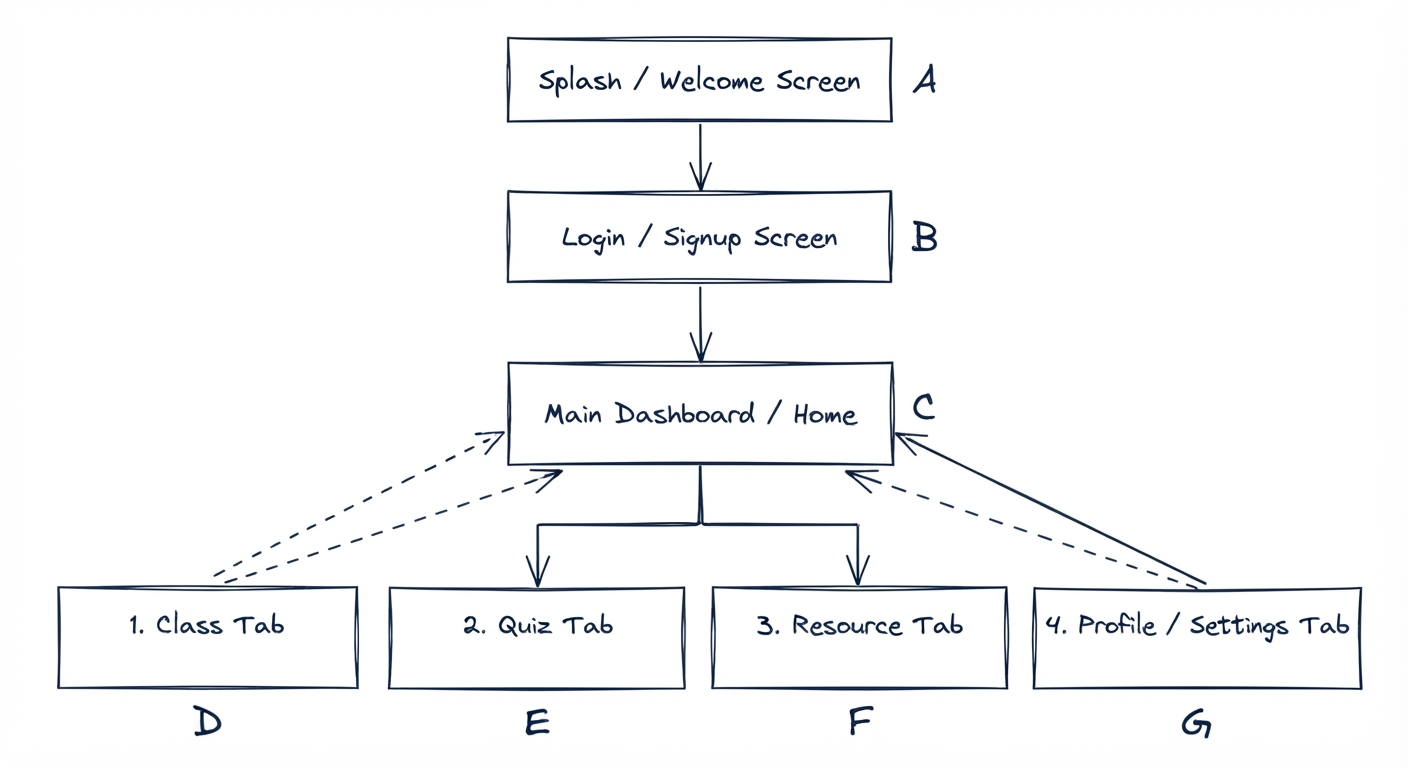
App Flow
Initial map of the core user journey through the app.
System Architecture
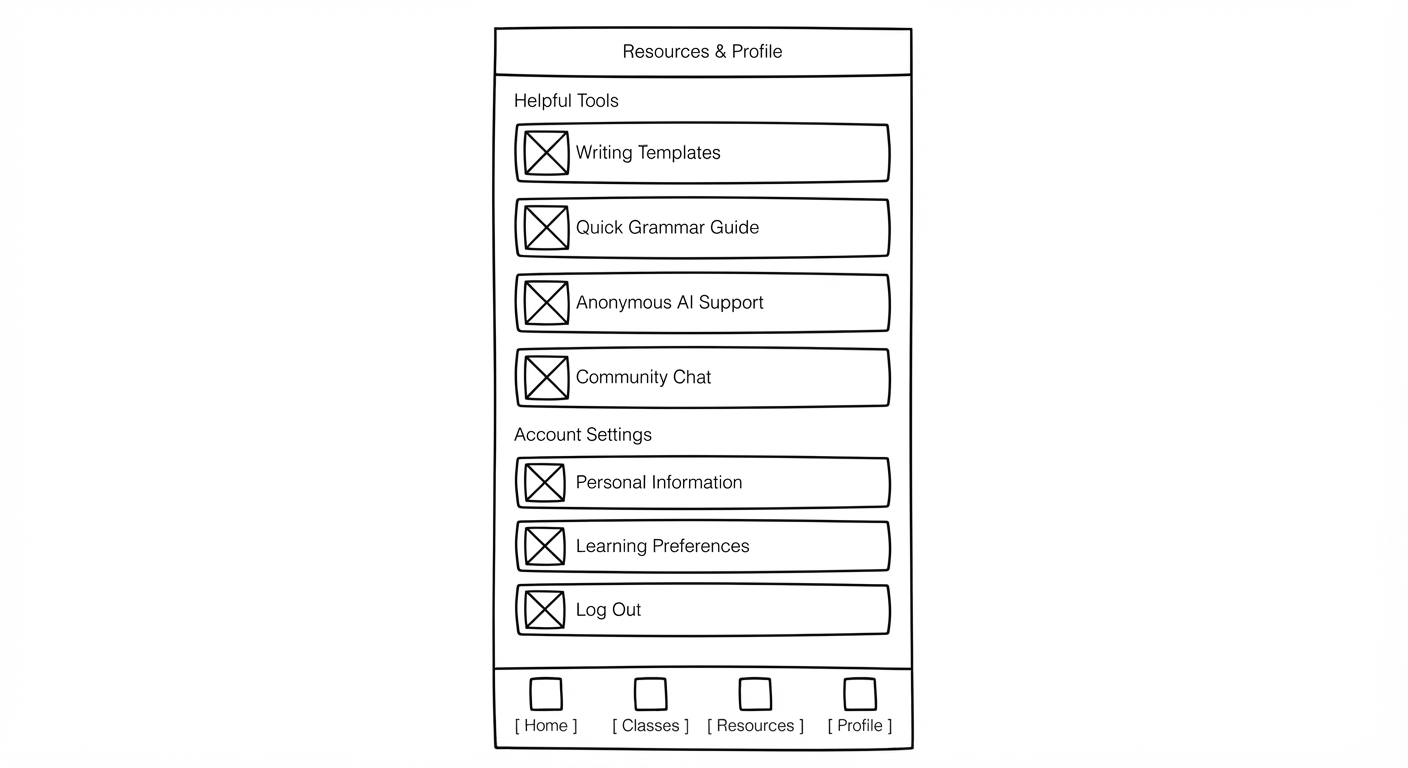
Low-Fidelity Prototype
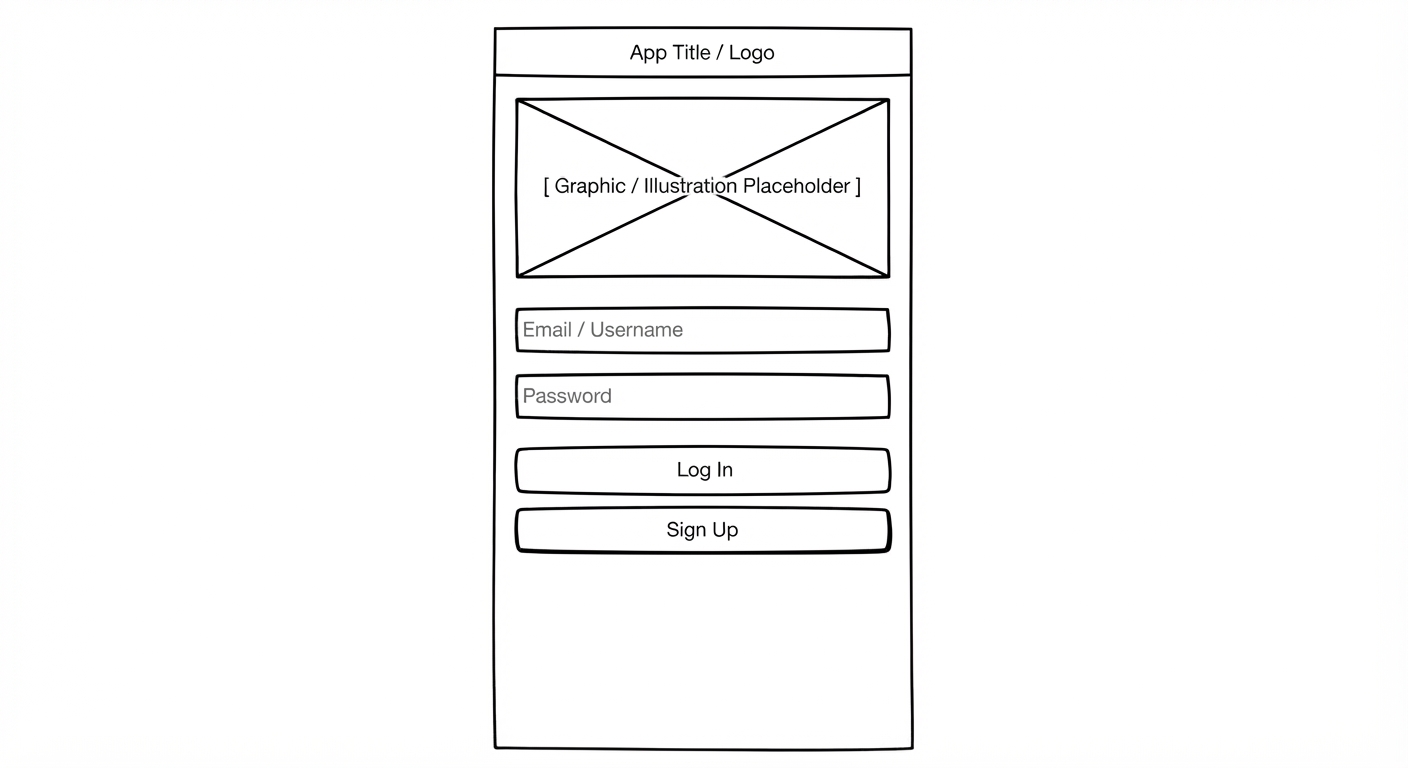
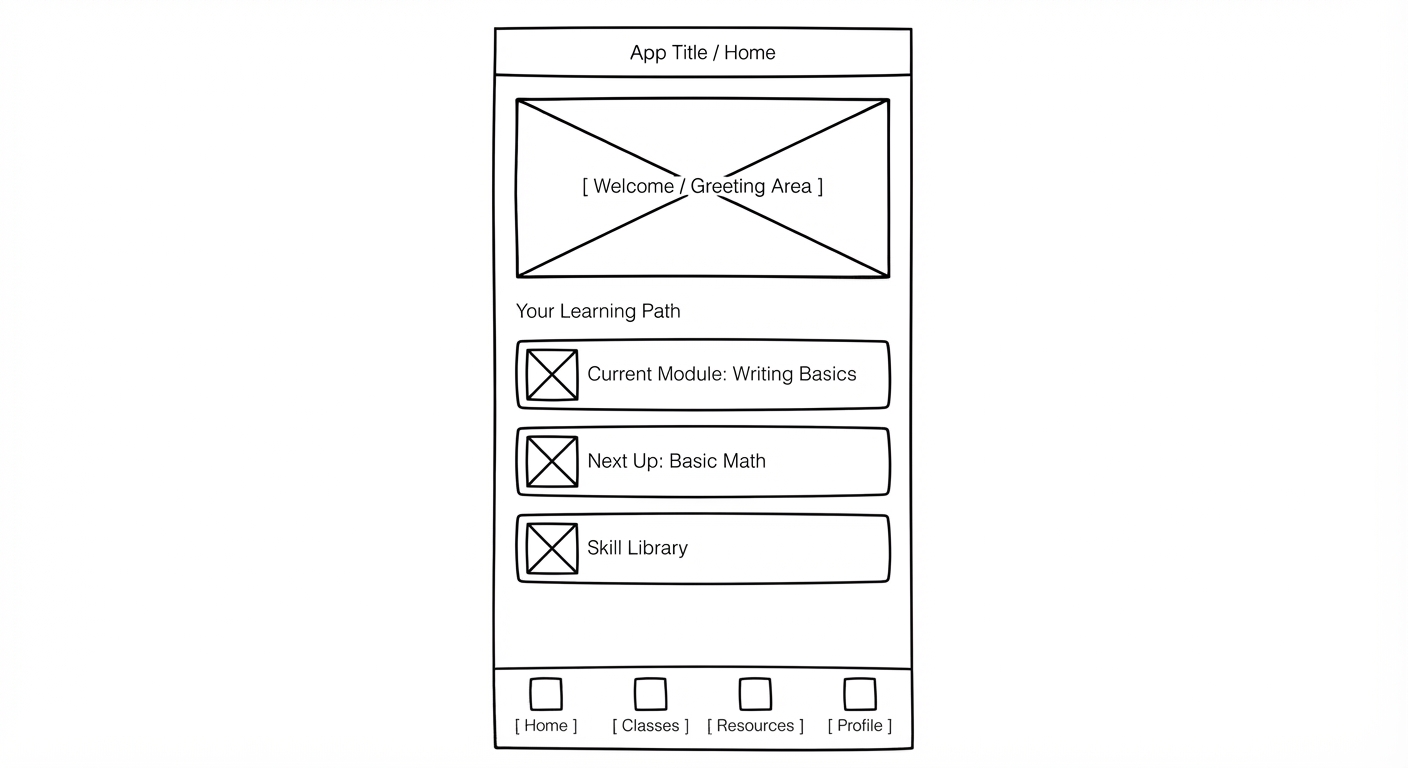
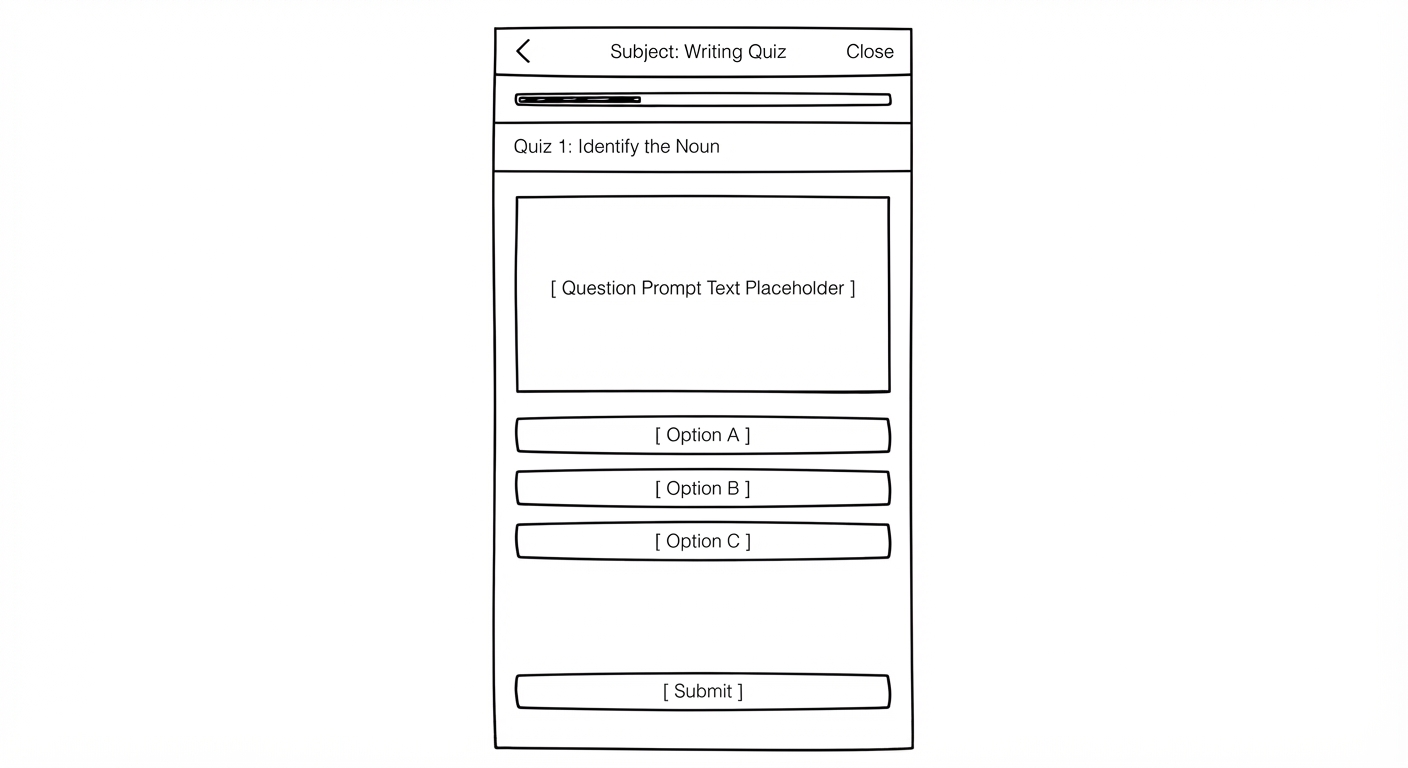
Structural mockups to test basic usability and flow.
1. Splash Screen and Login
2. Dashboard & Navigation Hub
3. Lesson & Quiz Interaction
4. Resources & Settings
Core Function Draft
Initial logic and requirements drafted for the primary app features.
User Authentication & Session Saving
Drafting the token-based login state to securely handle session persistence across dashboard loads and offline modes.
Function Mapping
Connecting UI components to backend event handlers and API endpoints.
Event to API Matrix
- Button Click (Login): Triggers
POST /api/v1/auth/login - Lesson Completion: Triggers
PUT /api/v1/progress - Settings Update: Triggers
PATCH /api/v1/user/settings
JavaScript Code Generation
Automated helper functions generated for quick component integration.
Core Controller Snippet
// Initialize app state and event listeners
document.addEventListener('DOMContentLoaded', () => {
  const loginButton = document.querySelector('#login-btn');
  if (loginButton) {
    loginButton.addEventListener('click', handleUserLogin);
  }
});

async function handleUserLogin(event) {
  event.preventDefault();
  console.log('Authenticating user session...');
}
Summary of Work & Iteration
Project overview, challenges, and iterative development process.
Multi-Screen Prototype Link:
What We Built
For this project, our team developed "Education for All," a mobile-responsive educational app prototype designed to make learning resources easily accessible. Within the platform, we built an interactive multi-screen experience inside a phone frame layout. The prototype shows multiple views that include a welcome screen, a login interface, and a multi-view dashboard featuring dedicated sections for classes, resources, and user profile management.
Challenges & Learnings
The hardest part of this project was navigating and managing code interactions without a programming background. Because none of us had coding experience, we hit massive walls trying to build the technical side from scratch. A major learning curve for us was figuring out how to bridge our design ideas with actual code by going through the Codecraft readings regarding code and using AI assistance to translate our concept into a working prototype when we couldn't do it on our own.
Demonstration of Iteration
Our iteration process relied heavily on trial and error. We tested different layouts in order to find one that worked with the low-fidelity prototype screens we developed. Through rounds of tweaking and testing the code, we were able to come to a finished layout that met the vision we were looking for.